Marketing Automation for Service Businesses: Your First Workflow
- Liz Vargas
- November 7, 2026
- Uncategorized
- 0 Comments
Marketing automation has a reputation problem. Say the phrase out loud and half the room pictures a robot spamming strangers, while the other half pictures a six-figure software stack that nobody on the team knows how to use. Both pictures are wrong, and both are why so many service businesses keep doing by hand what a simple system could do in the background.
If you run an accounting firm, a consulting practice, an agency, or any business that sells expertise and time, marketing automation for service businesses is not about replacing you. It is about making sure the leads you already earned do not quietly slip away while you are busy serving the clients who already said yes.
This is a beginner’s guide. No jargon, no tool shopping spree, no twelve-step funnel you will abandon by Thursday. Just a plain explanation of what automation is, the three workflows worth building first, and how to launch one in about a week.
What Marketing Automation Actually Is (and Is Not)
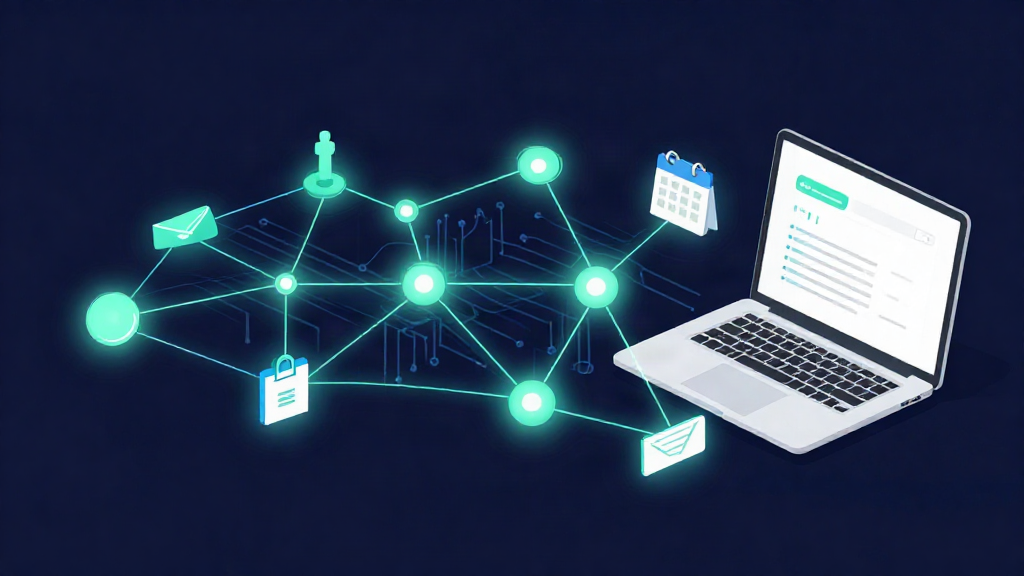
Marketing automation is software that handles the repetitive, time-sensitive steps of a customer relationship for you. It watches for a trigger, then runs a sequence: a form is submitted, so an email goes out and a task appears on someone’s calendar. That is the whole idea. Trigger, action, done.
For a service business, the point is not to sound bigger or send more email. The point is to respond faster than a human can, follow up more consistently than a busy team does, and keep every opportunity visible in one place instead of scattered across inboxes and sticky notes.
Here is what it is not. It is not a replacement for your judgment, your relationships, or the conversation that actually closes a client. It is not a reason to blast cold prospects. And it is not a project you need to finish before it starts helping. The best automation runs quietly in the background of a business that already generates leads, doing the part humans are worst at: remembering and repeating.
If your pipeline already has movement, the leads you are losing are probably not a marketing problem. They are a follow-up problem. That is exactly the gap automation closes.
The Three Workflows Worth Automating First
You do not need ten workflows. You need three, and they build on each other.
1. Lead Capture
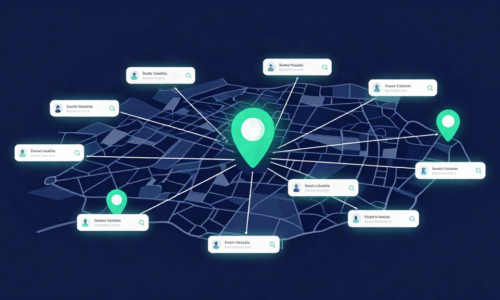
Every inquiry should land in one place, tagged with where it came from and what the person wants. A contact form, a phone call, a referral, a direct message; all of it should feed the same pipeline instead of living in five different inboxes. This single change usually reveals how many opportunities were falling through the cracks. Capture first, because nothing else works if the lead is lost before it is logged.
2. Follow-Up
This is where most service businesses lose money. An inquiry comes in on a Friday, the team gets busy, and by Tuesday the prospect has hired someone else. A follow-up workflow sends an immediate acknowledgment, then a short, human sequence over the next several days until the person replies. Same words you would write yourself, sent every time without you remembering to send them.
3. Reminders
Consultations get booked and then forgotten. Reminders cut no-shows and reduce the awkward chase. Confirm the appointment when it is booked, remind the client before it, and have a simple message ready when someone drops off. Reminders keep the calendar full and protect the time you set aside to actually win the work.
Notice the pattern. Capture, follow up, remind. All three protect revenue you already earned. None of them require you to become a marketing expert.
How to Launch Your First Workflow in a Week
The mistake beginners make is trying to automate everything at once, then drowning in setup. Do it in a week, in small pieces, starting with the workflow that hurts most.
Days 1–2: Pick one workflow and write the steps by hand. Do not open any software yet. Write down what actually happens today when a lead comes in: who responds, how fast, what they say, and where the process breaks. If you cannot describe it on paper, you cannot automate it.
Day 3: Choose the tool you already have. Most service businesses own a CRM, a scheduling app, or a GoHighLevel-style platform and are using a fraction of it. Start there before buying anything new. A workflow on a tool you already pay for beats a perfect workflow on software you never log into.
Days 4–5: Build the one workflow, then test it on yourself. Submit your own form, book your own appointment, and watch what the prospect would see. Fix the rough edges before anyone else sees them. A workflow that works for you will work for a lead.
Days 6–7: Turn it on and watch one number. Track one thing only, such as how fast new inquiries get a reply. That single number tells you whether the workflow is doing its job. When it is, add the next one. Two working workflows beat ten half-built ones.
What to Automate Next
Once capture, follow-up, and reminders are running, the rest gets easier. Proposal follow-ups, lead reactivation for old contacts, and internal notifications are natural next steps, but only after the first three are solid and predictable.
The goal was never to turn your business into a machine. It was to stop being the machine. Automation should give you back hours every week and hand you a pipeline where every opportunity is visible, so you spend your time advising clients instead of chasing reminders you forgot to send.
Start with one workflow this week. If you would rather hand it off than build it yourself, that is what we do; our RISE Growth System wires web, SEO, and automation together so the follow-up happens without you thinking about it. Either way, the first workflow is the one that pays for itself.
Related Posts